The rep app is a fast, scan‑first view of your day: your cases, your kits, and one‑tap communication with the office. Built for medical device reps and office teams who want simple, reliable kit visibility.
Scan the UDI. Track the kit. Stay ready.
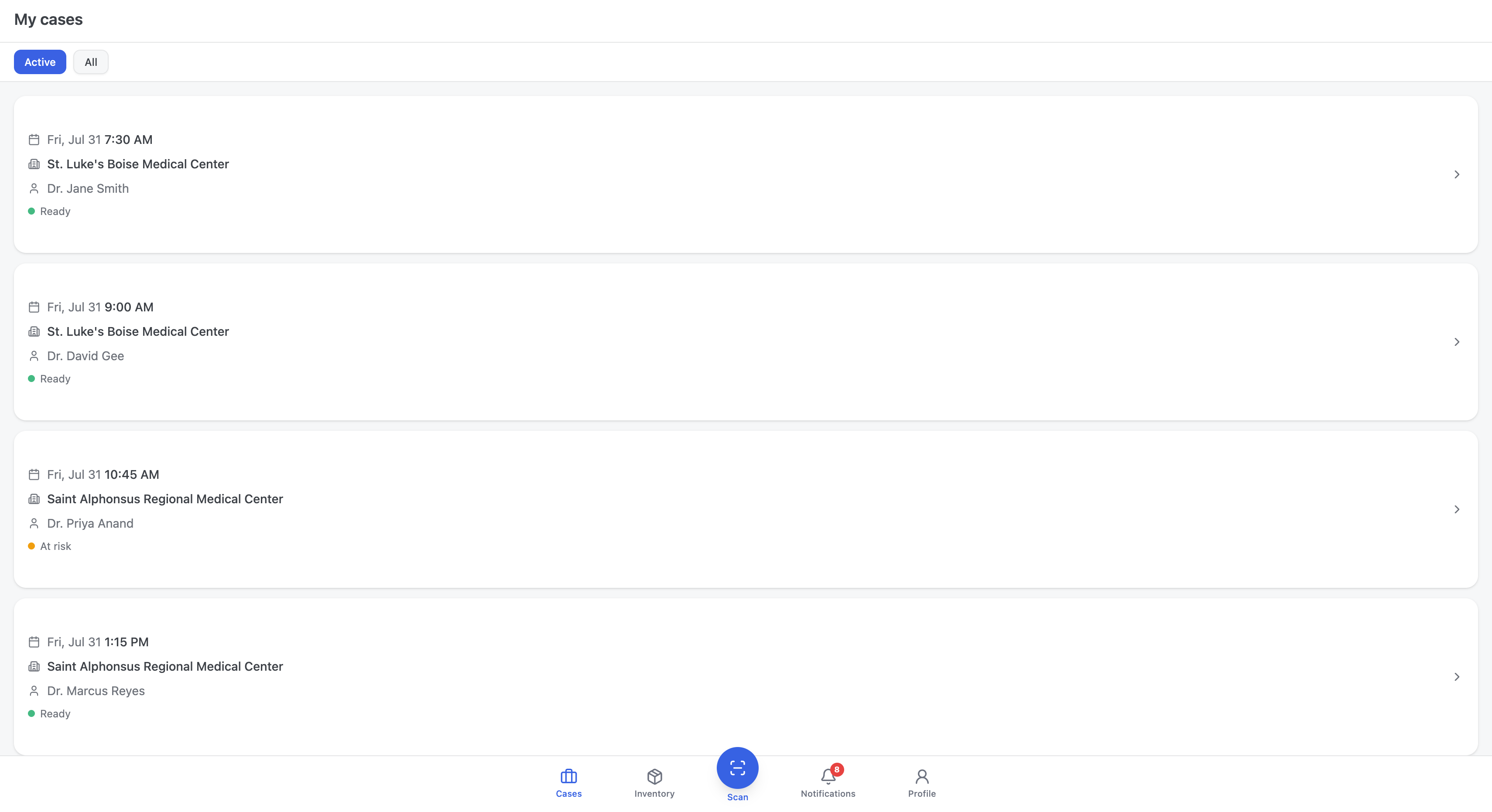
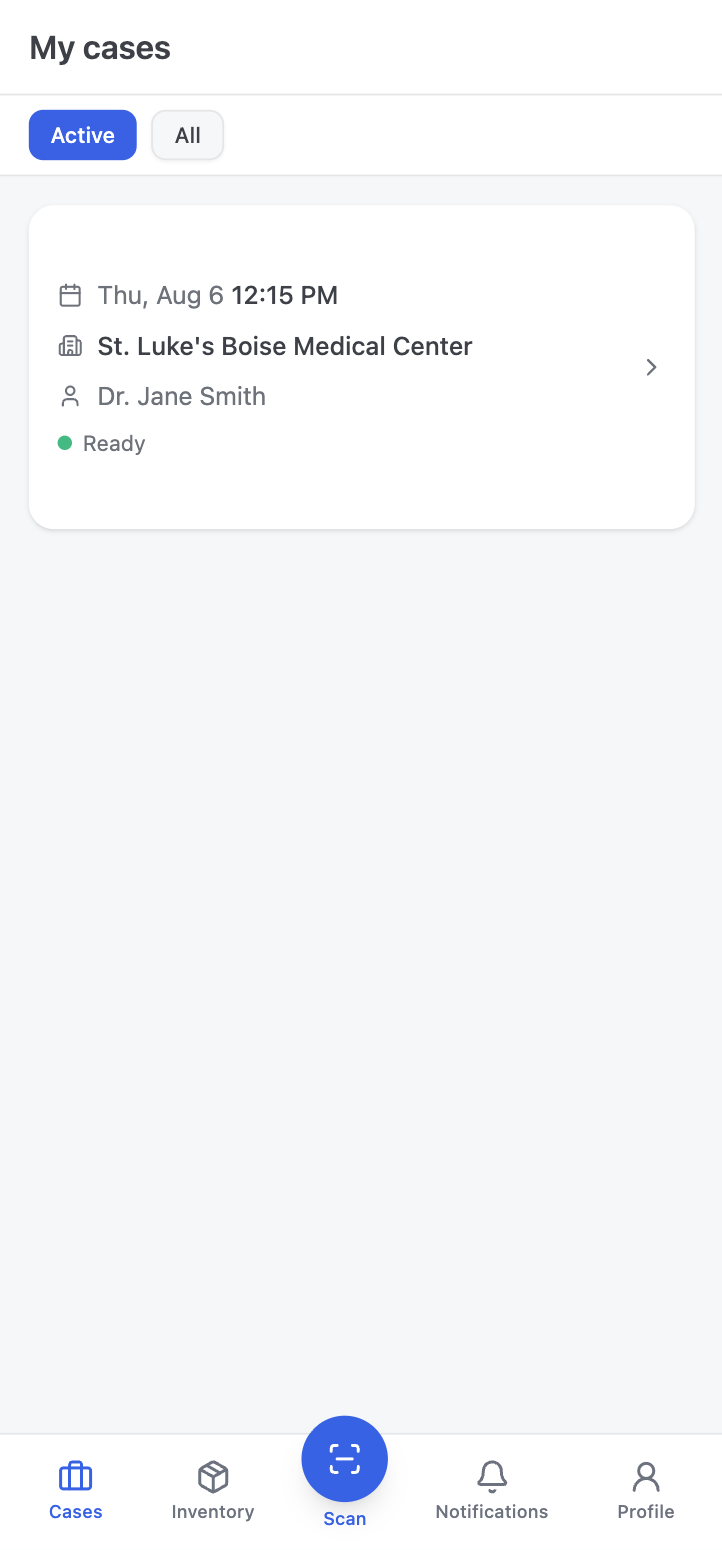
Reps live in the car and the hospital hallway, not at a desk. The rep app opens on your cases for the day, sorted by time, each showing the hospital, the surgeon, and a plain status: ready or at risk. Tap a case to see everything it needs.


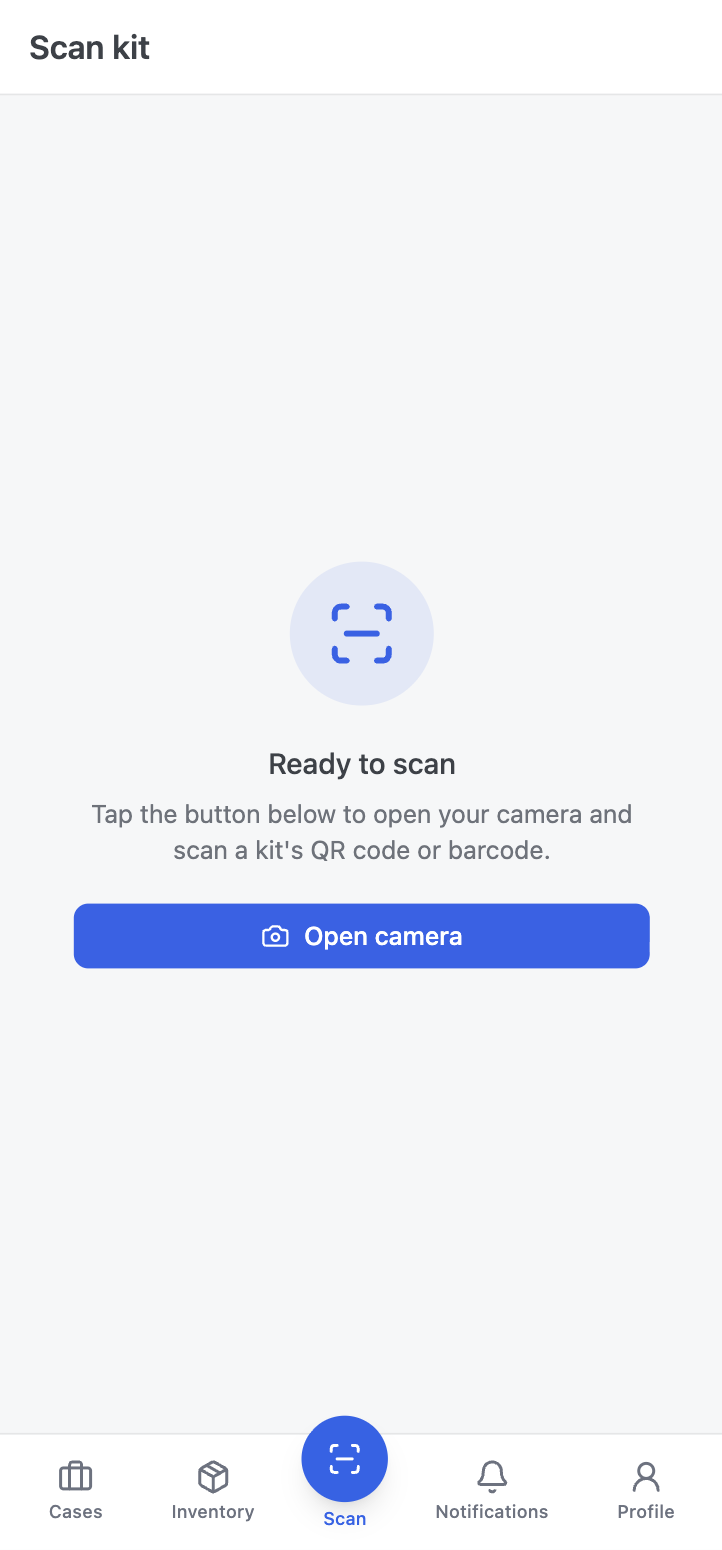
This is the heart of it. Open Scan, point your phone at the QR code or barcode, and the exact kit comes up: type, lot, serial, expiration, and the case it belongs to. No typing part numbers, no guessing which liner is which. Scan and you know.
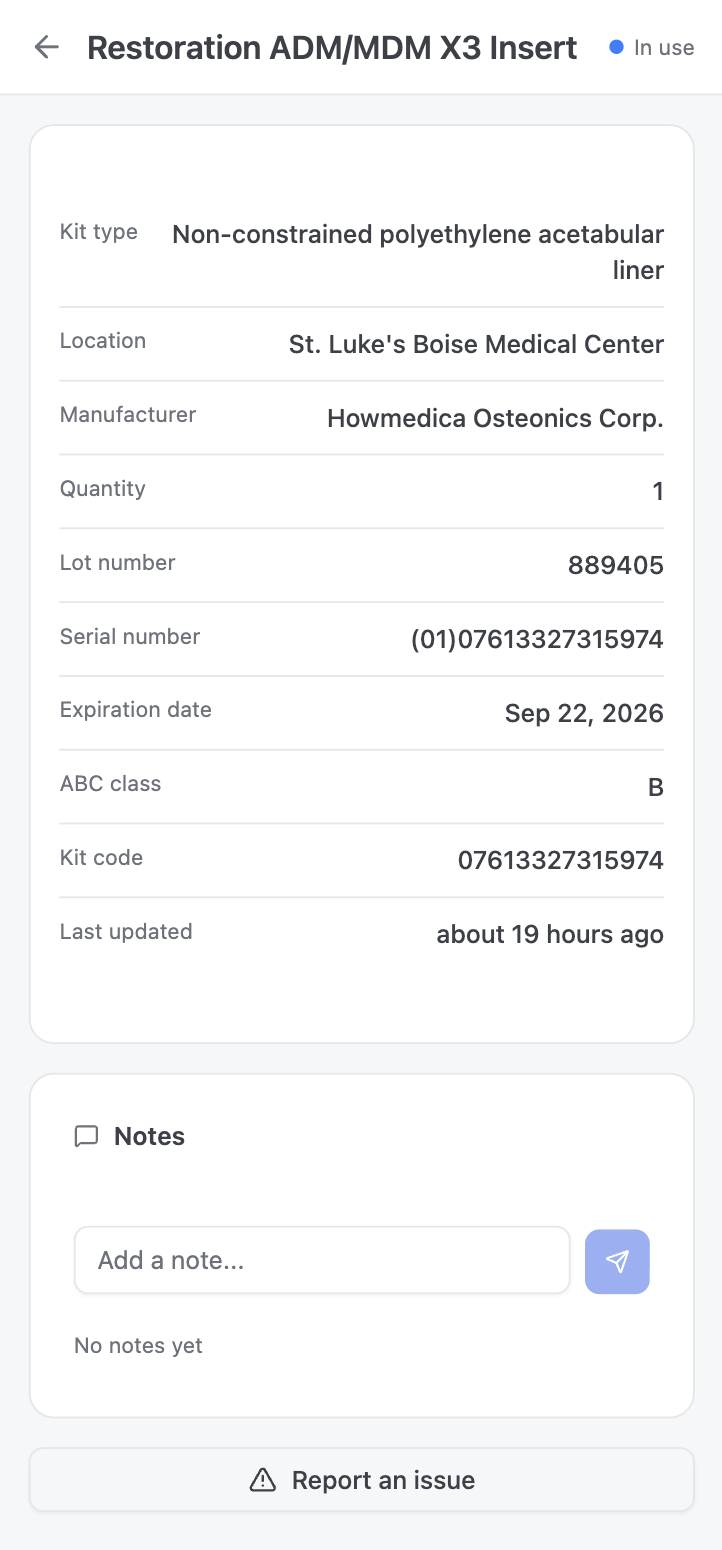
Open any kit and you get the record that matters at the sterile field: kit type, location, manufacturer, quantity, lot number, the full UDI serial, expiration date, ABC class, and kit code. If something is wrong, Report an issue is one tap away and routes straight to the office.


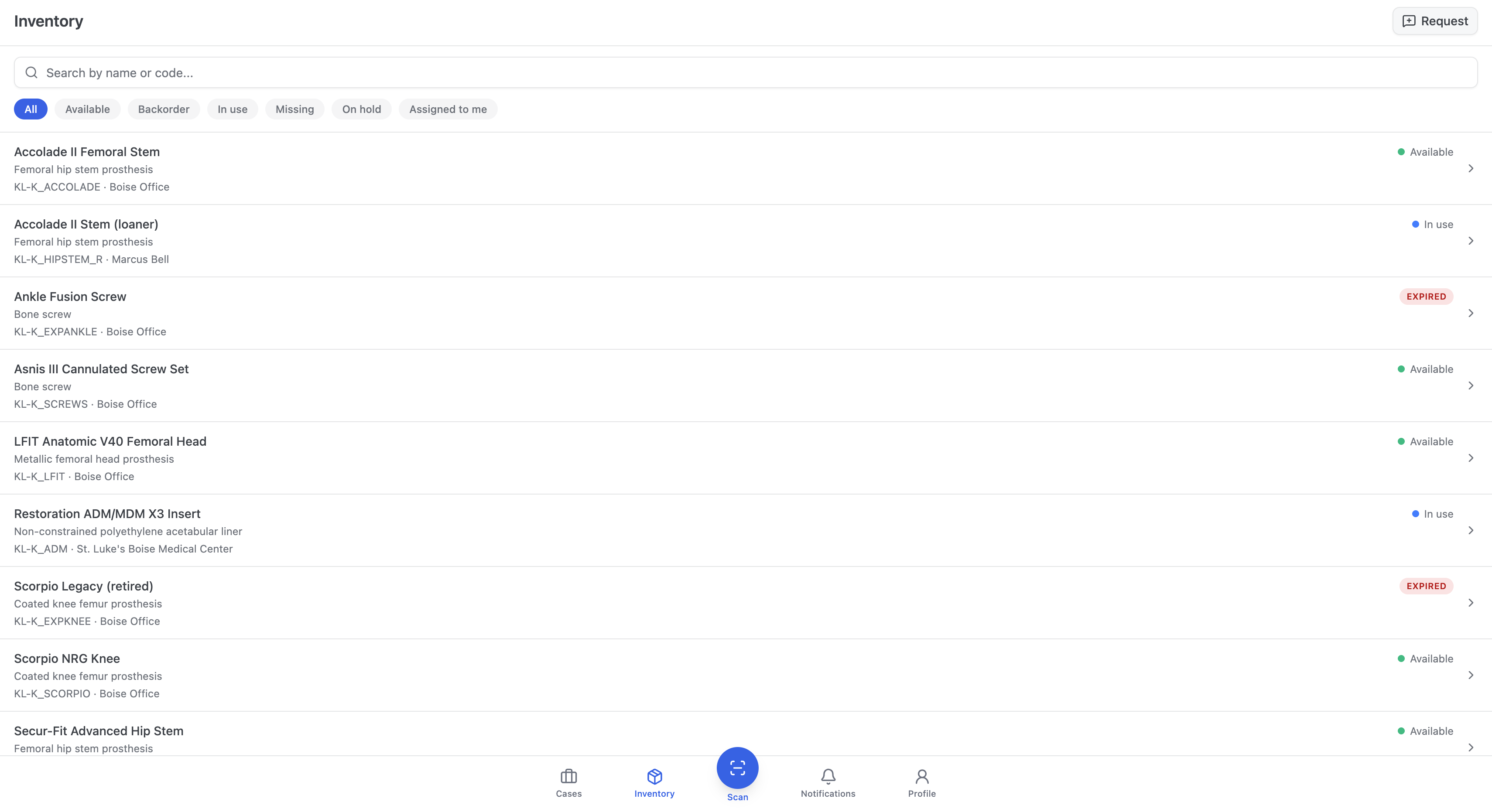
Your inventory, filtered the way a rep thinks. Search by name or code, or tap a chip to see only what’s assigned to you, only what’s in use, or only what’s expired. Expired kits are badged in red so you never load one into a case by mistake.
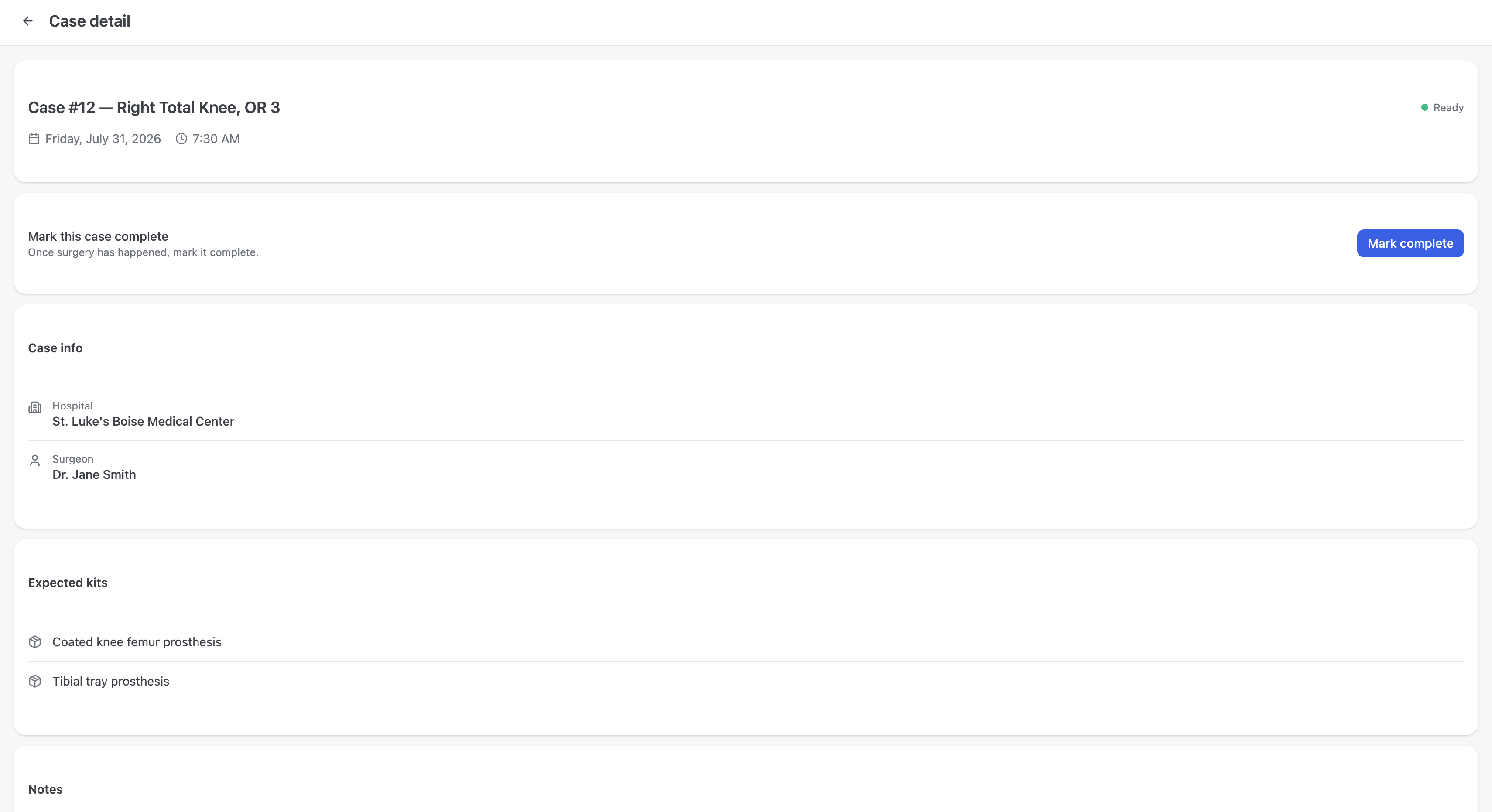
Open a case to see its expected kits and add a note the office sees instantly, like “Primary right TKA, cementless.” When the case is done, mark it complete. The office watches the same case update in real time, so nobody has to chase a status.

The scanner is a permanent tab in the bottom bar. Everything starts from a scan, so the kit in your hand and the kit in the system are always the same one.
Damaged packaging or a missing item? Report an issue routes it to the office instantly, with the kit and case already attached.
Expired kits are badged and locked, so an out‑of‑date implant never gets assigned to a case from the field.
Notes and messages tie to the exact case and kit, so “which one?” never comes up again.
Install it to your home screen, scan your first kit, and stop guessing which liner is which.